Free calculators / Reorder Point Calculator
Reorder Point Calculator
When should you order more stock?
Order too late and you sell out. Order too early and your cash sits on a shelf. The reorder point is the stock level that tells you today is the day.
Your numbers
- Units sold per day
- 4.0
- Reorder when stock reaches
- 112
- Days of stock you have now
- 24
- Days until you should order
- 0
Order now. You are at or below your reorder point.
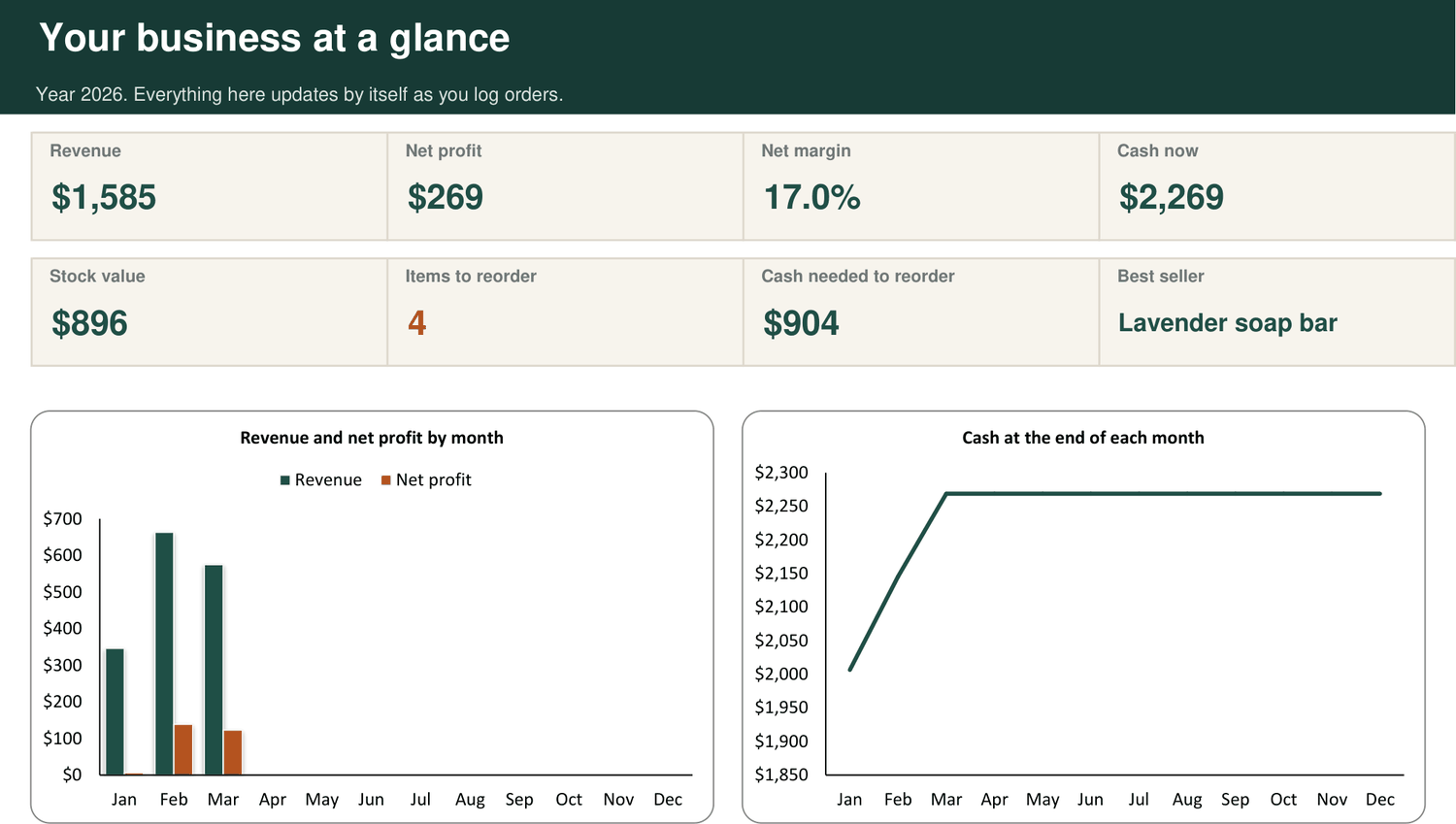
The Inventory tab in the kit watches every product and marks REORDER the moment one reaches its level, with the cash you need to restock.
See the Back Office Kit, from $19How the sum works
- Units sold per day = monthly sales divided by 30.
- Reorder point = units sold per day times (lead time in days plus safety stock days), rounded up.
- Days of stock you have = units in stock divided by units sold per day.
Questions
How much safety stock should I keep?
Enough to cover the delays you have actually had. If your supplier has been a week late before, a week of safety stock is a sensible start.
What about seasonal products?
Use the sales you expect in the coming month, not the month just gone. Ahead of a busy season, raise the monthly sales figure and the reorder point rises with it.
How much should I order each time?
Enough to last until the next delivery could arrive, within what your cash allows. Check your supplier's minimum order and any price breaks.
This was one sum
The Back Office Kit runs all of them, for every product, together.
One Excel workbook that prices your products, tracks your stock, logs your orders and builds your invoices and wholesale line sheet. One payment of $19. Download the moment you pay.
More free calculators
- Landed Cost CalculatorWhat does one unit really cost you?
- Profit Margin CalculatorMargin or markup: what are you really keeping?
- Wholesale Price CalculatorWhat should you charge a shop?
- Break-Even CalculatorHow many do you need to sell each month?
- Selling Fee CalculatorWhat is left after the marketplace takes its cut?
- Sale Discount CalculatorWhat does a sale really cost you?
- Markup CalculatorWhat price does your markup give you?
- Inventory Turnover CalculatorHow fast does your stock turn into cash?
- Cash Runway CalculatorHow long will your cash last?
- Free Shipping CalculatorCan you afford to offer free shipping?
- Bundle Pricing CalculatorWhat should you charge for a bundle?
- Ad Cost CalculatorDoes your advert make money?
- Labour Cost Calculator for MakersWhat is your time worth in each product?
- Batch Cost CalculatorWhat does one piece from a batch cost you?