Questions
What exactly do I get?
One Excel workbook, delivered as a download the moment you pay. It arrives filled in with a sample candle and soap maker so you can see every tab working before you add your own materials and recipes.
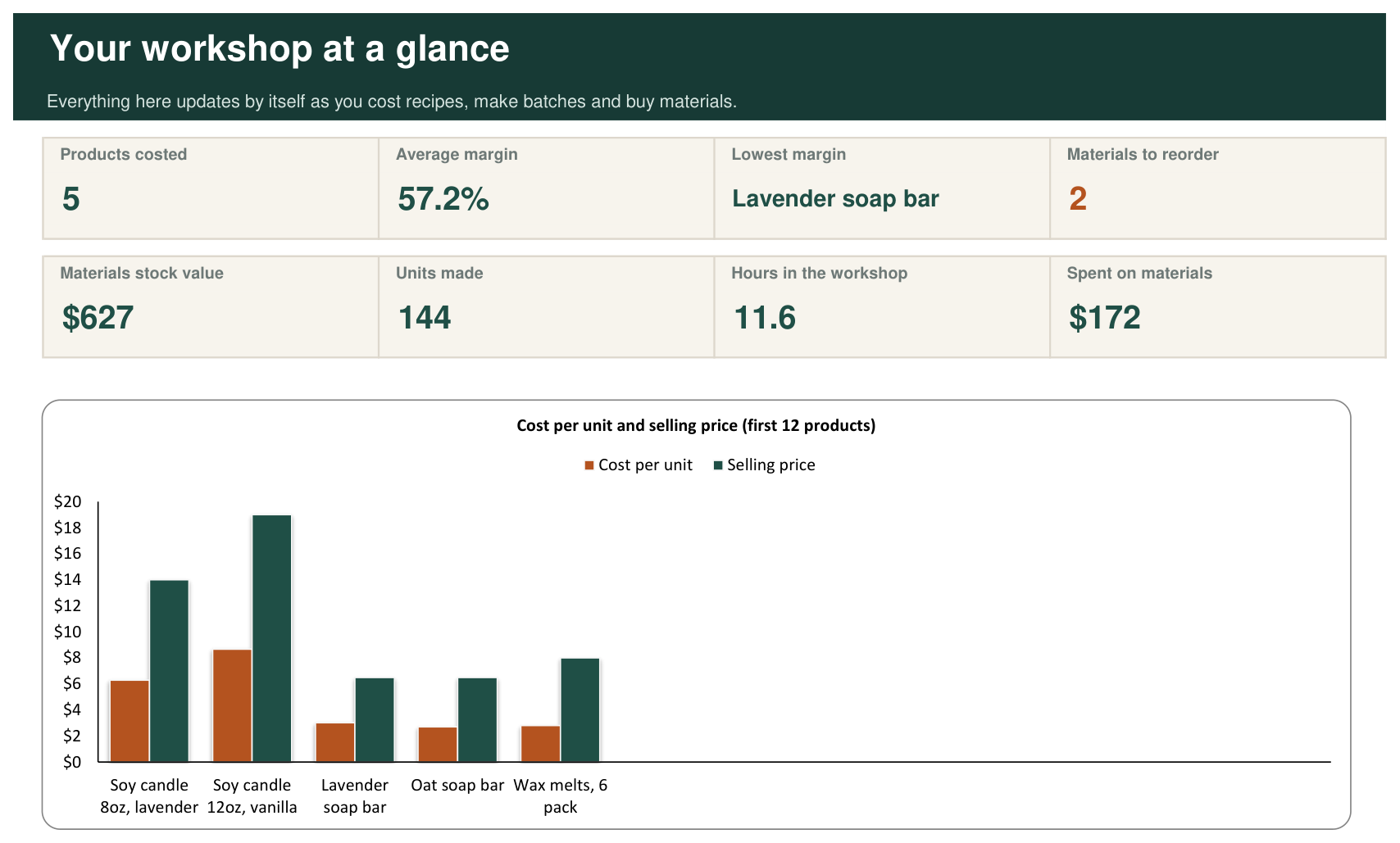
Eight tabs: Start Here, Dashboard, Materials, Products, Recipes, Batches, Purchases and Price Check.
What do I need to use it?
Microsoft Excel. The workbook is built and checked in Excel for Windows. It uses only standard Excel functions, with no macros and no add-ins, so there is nothing to install and nothing for your computer to warn you about.
What kinds of making does it suit?
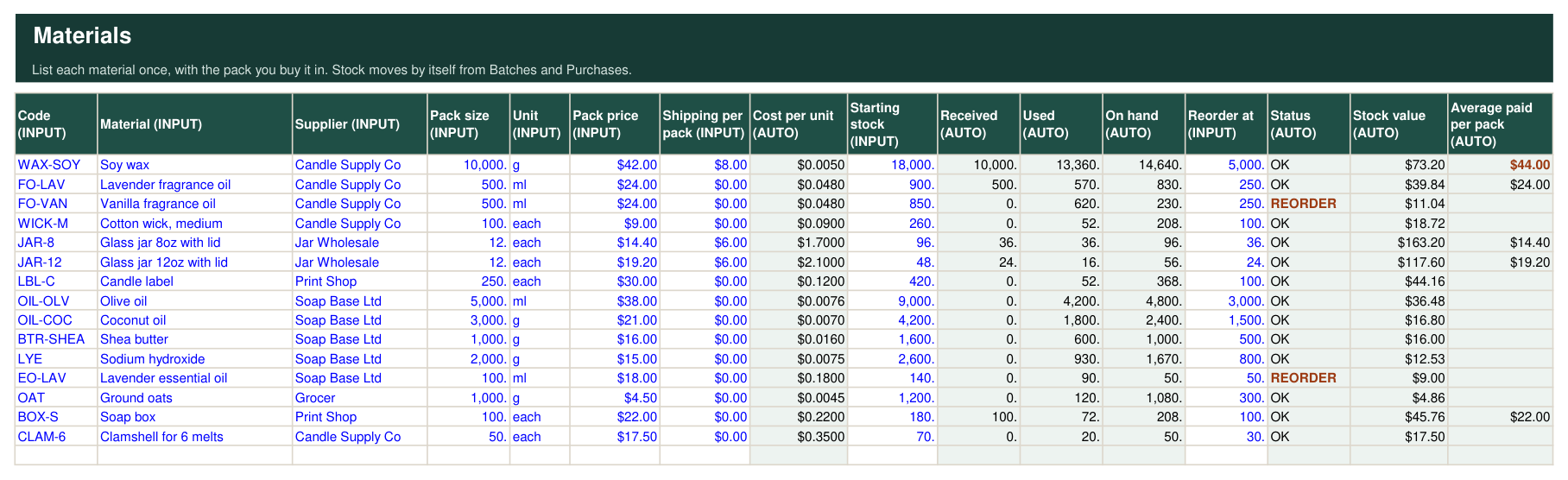
Anything made in batches from measured materials: candles, soap, bath and body products, baked goods, preserves, jewellery, small-batch anything. You choose the unit for each material, grams, millilitres or pieces, and the recipe uses the same unit.
Does it tell me how to make things?
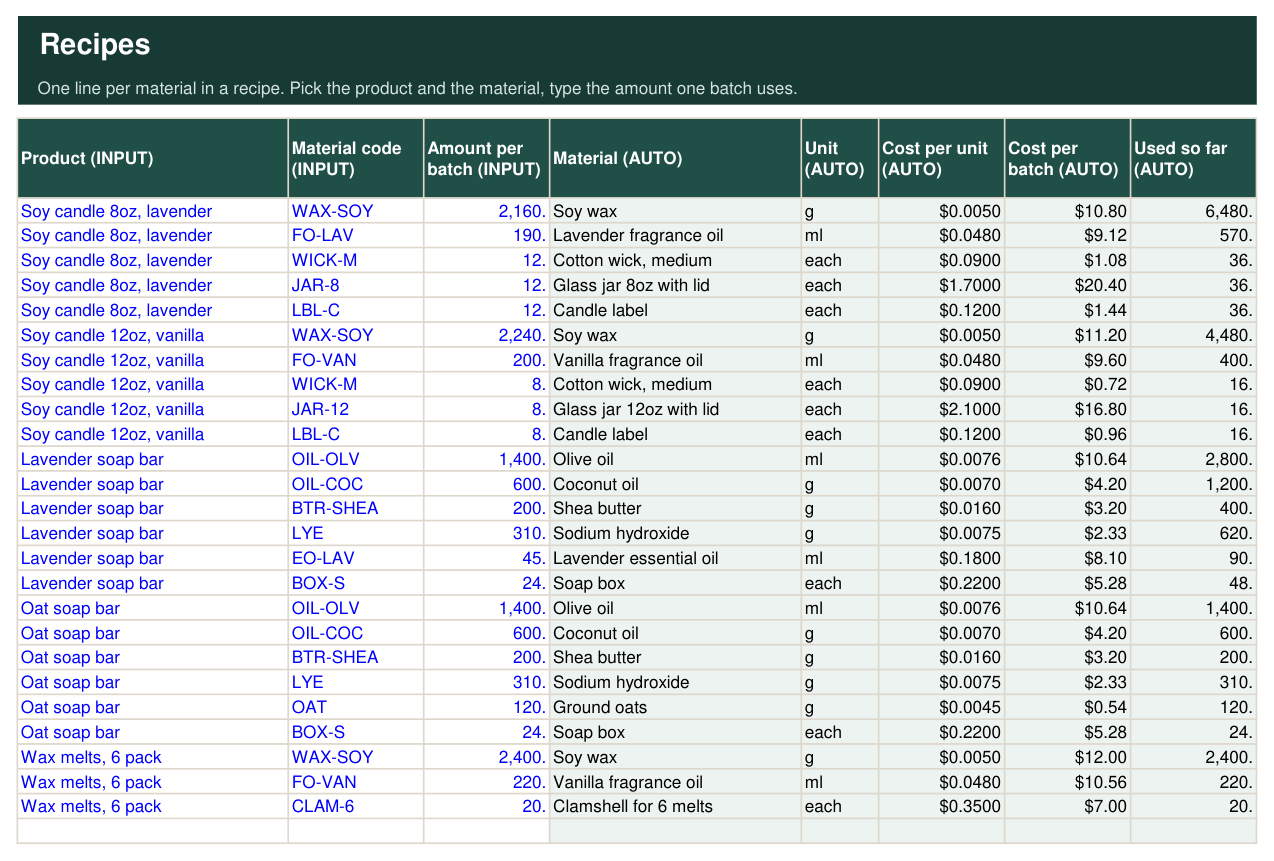
No. It costs your recipes; it does not write them. It gives no advice on formulation, safety or labelling. You bring the recipe, it brings the numbers.
How does it price my time?
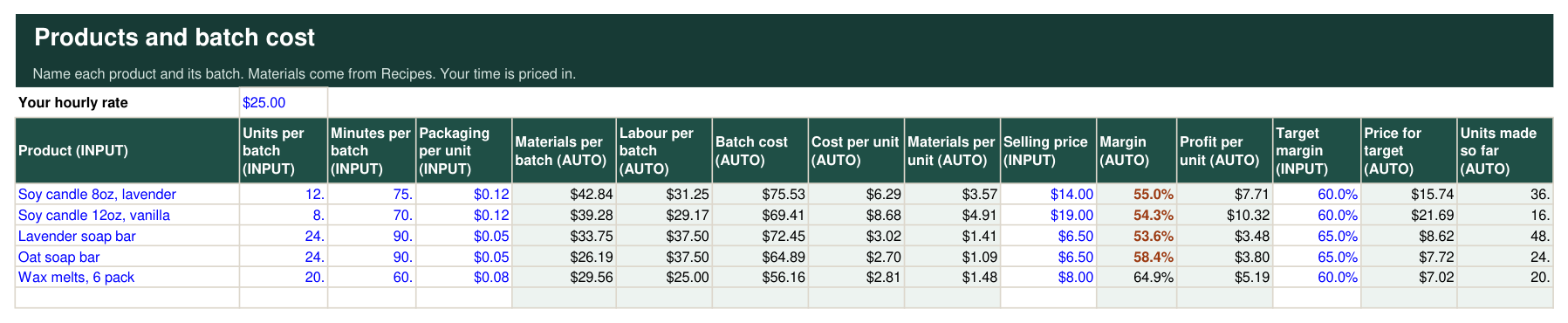
You set an hourly rate at the top of the Products tab and enter how many minutes a batch takes. Labour for the batch is spread across the units in it, so a 75-minute batch of 12 candles at $25 an hour adds $2.60 to each candle. Set the rate to zero if you want to see material costs alone.
How does stock work?
Each material has a starting stock in its own unit. Every batch you log uses up what its recipe calls for; every purchase you log adds packs back. On hand, stock value and a REORDER flag update by themselves, so you see what is running low before you start a batch.
What is the Price Check tab for?
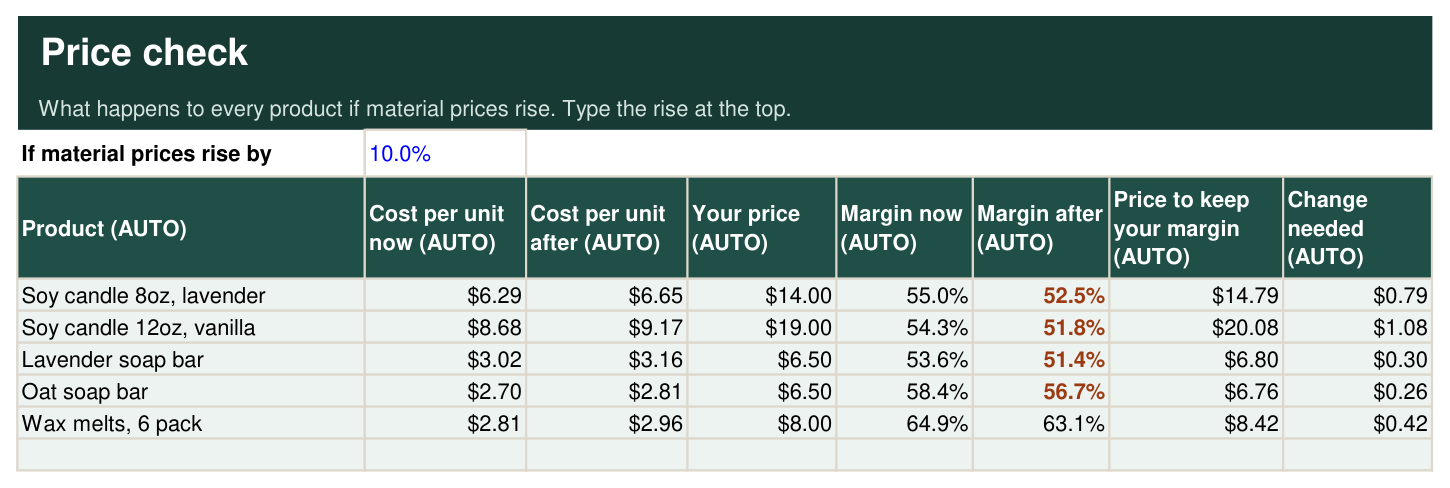
Material prices move. Type a rise, say 10%, and for every product you see the new cost per unit, the new margin, and the price that would keep your margin where it is today. It answers "what do I have to charge now?" for your whole range at once.
How does it work with the Back Office Kit?
This workbook works out what a finished unit costs you to make. The Back Office Kit takes that number as the landed cost and runs your stock of finished goods, your orders, your invoices, your line sheet and your monthly profit. They are two separate files; you type the cost per unit from one into the other.
I am not good with spreadsheets. Will I manage?
Yes. You only ever type in cells with blue text. Everything in grey is worked out for you and locked, so you cannot break a formula by accident. Products and materials are picked from dropdowns, and the Start Here tab walks you through setup in order.
How long does it take to set up?
About fifteen minutes for a small range: list your materials with the packs you buy, name your products, and enter each recipe. After that, day to day use is one line per batch and one line per purchase.
Is this a subscription?
No. You pay once and the file is yours to keep. There is nothing to renew and no account to log in to.
How do I get it, and what if I lose the file?
Straight after you pay you land on your download page. Save that page's address and you can download the file again whenever you need it.
Is my data private?
Yes. The workbook runs entirely on your own computer. It does not connect to the internet or to anything else, and nothing you type is sent to us or anyone else.
Can I change it to suit my business?
Yes. The formula cells are locked to protect them, but there is no password. You can unlock any tab, add rows, and rename anything.
What if I need help?
Email jacob.squareone@gmail.com. We reply within one business day.