Free calculators / Profit Margin Calculator
Profit Margin Calculator
Margin or markup: what are you really keeping?
Margin and markup are two different numbers from the same sale, and mixing them up is the most common pricing mistake there is. Put in your cost and price and see both.
Your numbers
- Profit per unit
- $4.80
- Margin
- 53.3%
- Markup
- 114.3%
- Price for the margin you want
- $10.50
You are $1.50 a unit short of your target margin.
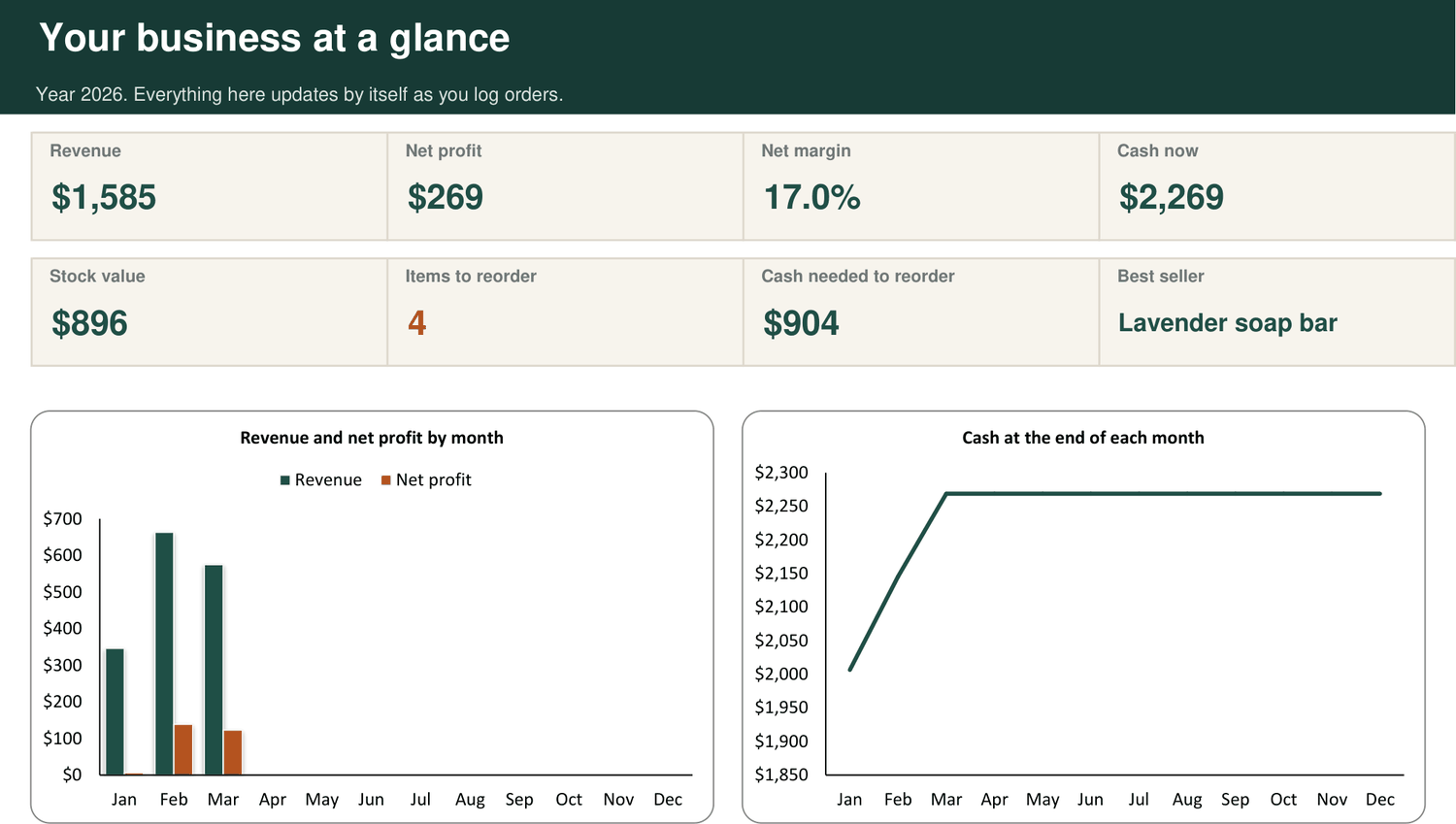
The kit shows margin, markup and profit for every product side by side, and flags the ones that fall short of your target.
See the Back Office Kit, from $19How the sum works
- Profit per unit = price minus cost.
- Margin = profit divided by price. It is the share of each sale you keep.
- Markup = profit divided by cost. It is how much you added on top of cost.
- Price for a target margin = cost divided by (1 minus the margin). For 60%, divide the cost by 0.4.
Questions
What is the difference between margin and markup?
Both start from the same profit. Margin compares it with the price, markup compares it with the cost. A product that costs $5 and sells for $10 has a 50% margin and a 100% markup.
Why is doubling my cost not a 100% margin?
Doubling the cost is a 100% markup. The margin is 50%, because half of the selling price is cost. A margin can never reach 100% unless the product costs you nothing.
What margin should a product business aim for?
It depends on what you sell and where. What matters is that the margin covers your selling fees, marketing and overheads and still leaves a profit. Work that out from your own monthly costs.
This was one sum
The Back Office Kit runs all of them, for every product, together.
One Excel workbook that prices your products, tracks your stock, logs your orders and builds your invoices and wholesale line sheet. One payment of $19. Download the moment you pay.
More free calculators
- Landed Cost CalculatorWhat does one unit really cost you?
- Wholesale Price CalculatorWhat should you charge a shop?
- Break-Even CalculatorHow many do you need to sell each month?
- Reorder Point CalculatorWhen should you order more stock?
- Selling Fee CalculatorWhat is left after the marketplace takes its cut?
- Sale Discount CalculatorWhat does a sale really cost you?
- Markup CalculatorWhat price does your markup give you?
- Inventory Turnover CalculatorHow fast does your stock turn into cash?
- Cash Runway CalculatorHow long will your cash last?
- Free Shipping CalculatorCan you afford to offer free shipping?
- Bundle Pricing CalculatorWhat should you charge for a bundle?
- Ad Cost CalculatorDoes your advert make money?
- Labour Cost Calculator for MakersWhat is your time worth in each product?
- Batch Cost CalculatorWhat does one piece from a batch cost you?