Questions
What exactly do I get?
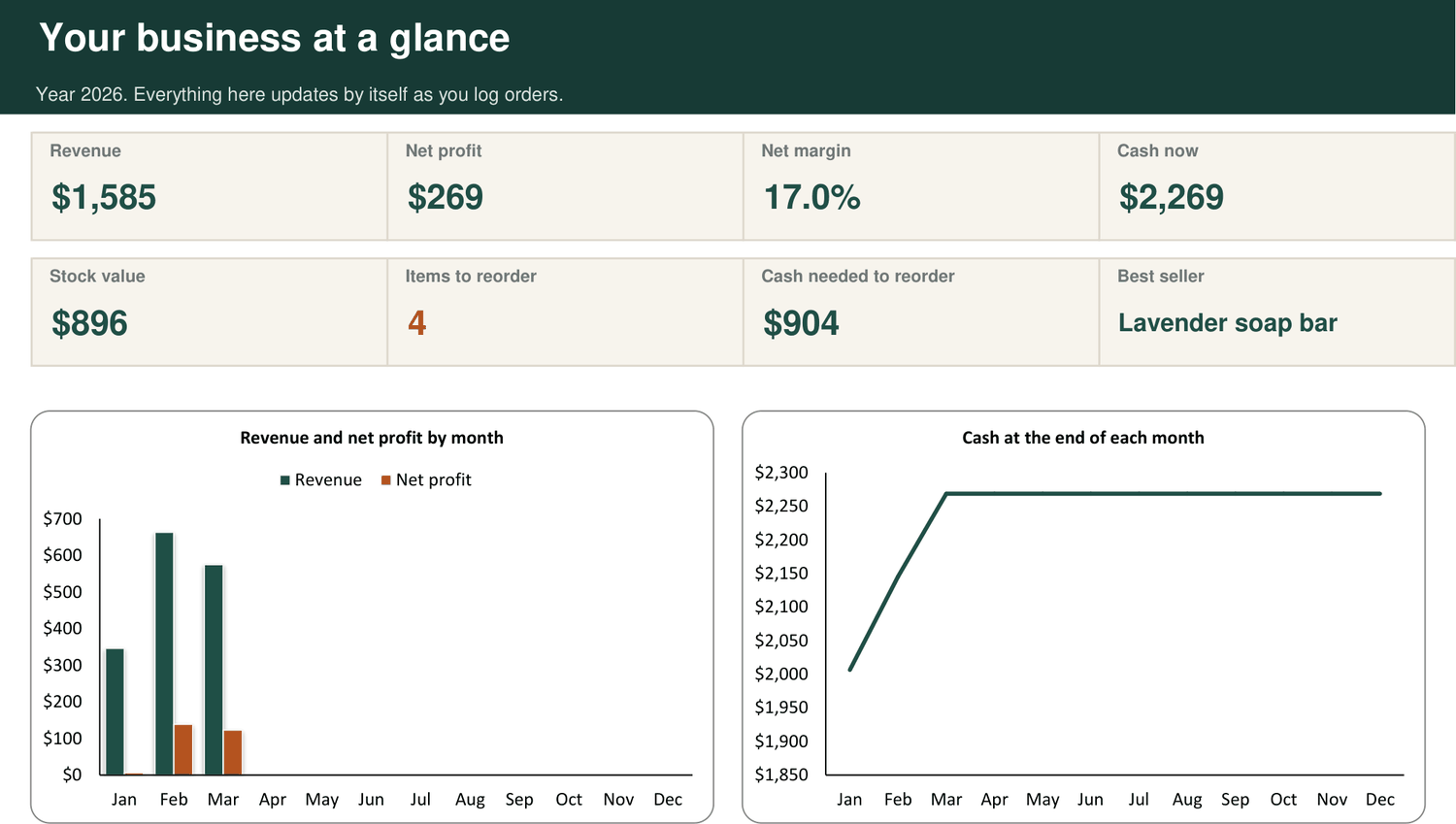
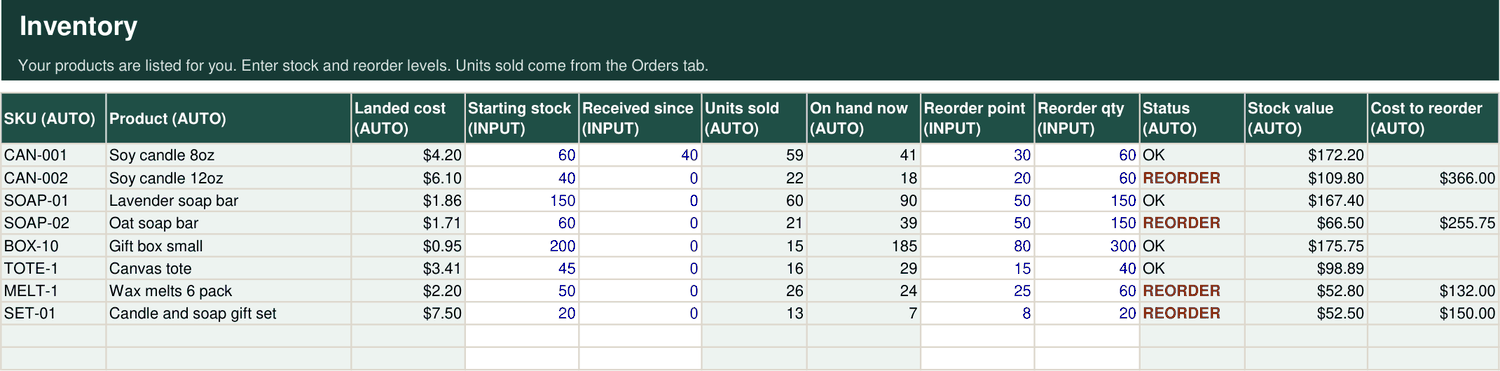
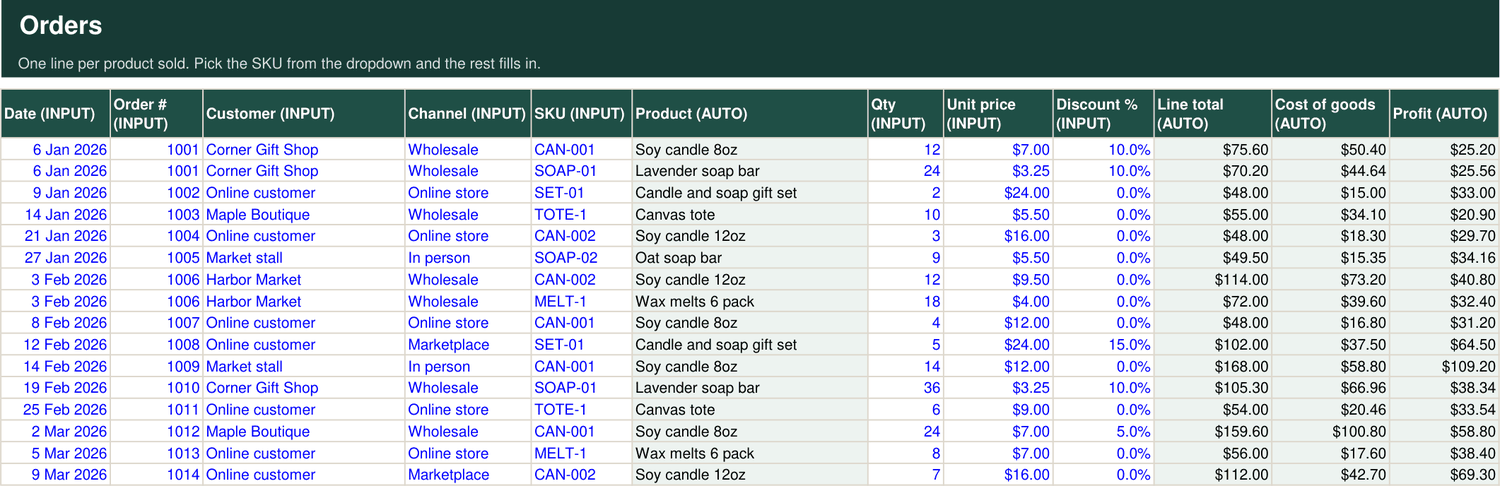
One Excel workbook, delivered as a download the moment you pay. It arrives filled in with a sample candle and soap business so you can see every tab working before you add your own numbers.
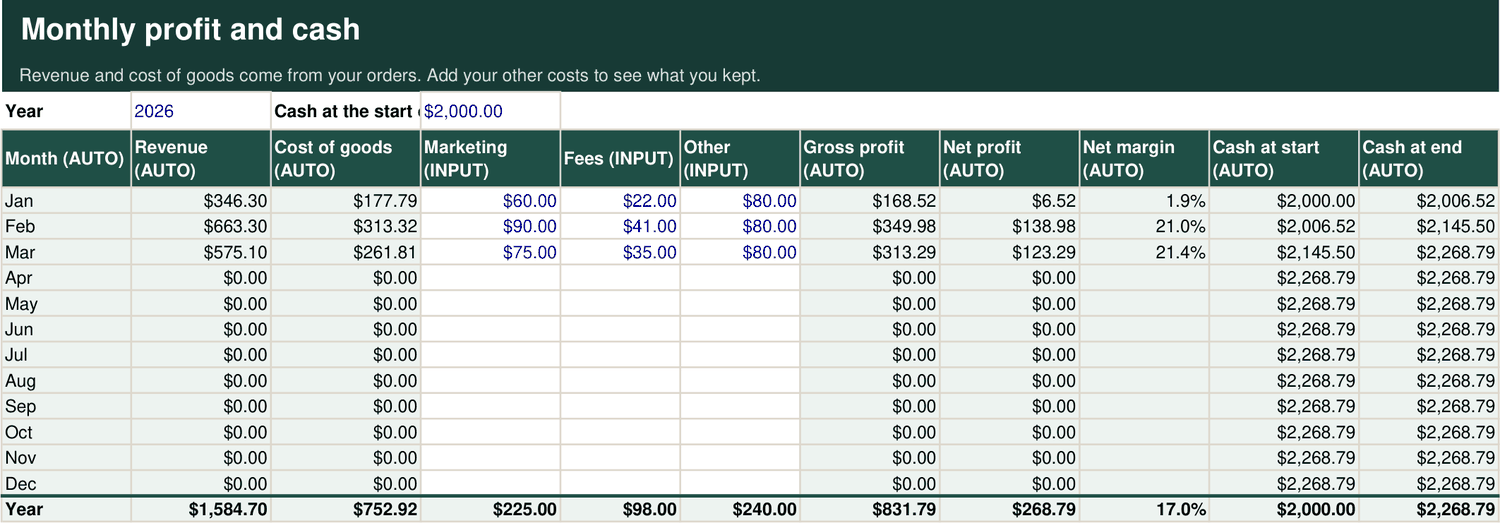
The Kit has nine tabs: Start Here, Dashboard, Products, Inventory, Orders, Monthly, Break-even, Line Sheet and Invoice. Pro has all of those plus a Product Report, a Channel Report and a Customer Report.
What do I need to use it?
Microsoft Excel. The kit is built and checked in Excel for Windows. It uses only standard Excel functions, with no macros and no add-ins, so there is nothing to install and nothing for your computer to warn you about.
I am not good with spreadsheets. Will I manage?
Yes. You only ever type in cells with blue text. Everything in grey is worked out for you and locked, so you cannot break a formula by accident. Products and sales channels are picked from dropdowns, and the Start Here tab walks you through setup in order.
How long does it take to set up?
About ten minutes for a small range. List your products and what they cost, enter how many you have in stock, and you are running. After that, day to day use is one line per sale.
Do I have to type my products in more than once?
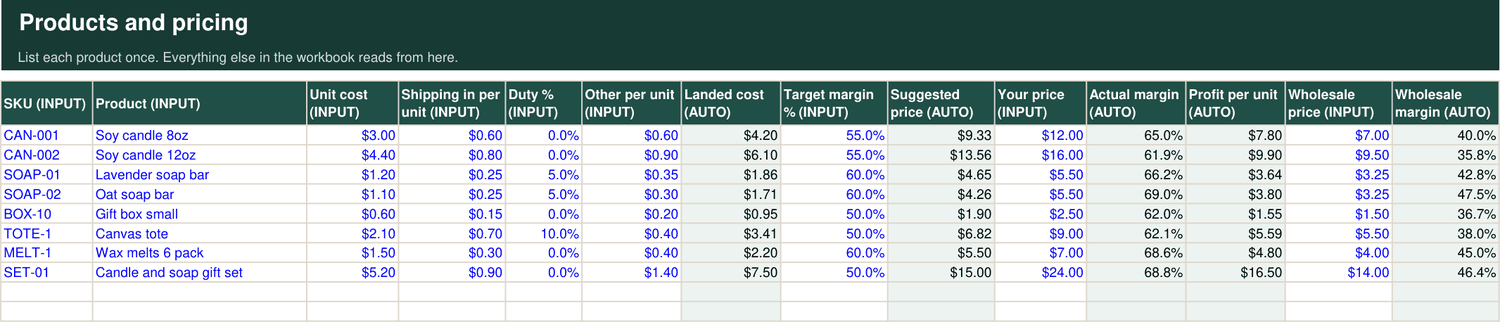
No. You list each product once, in the Products tab. It then appears in Inventory, in the Orders dropdown, on your line sheet and in your reports. Change a cost or a price in one place and it updates everywhere.
How does the invoice maker work?
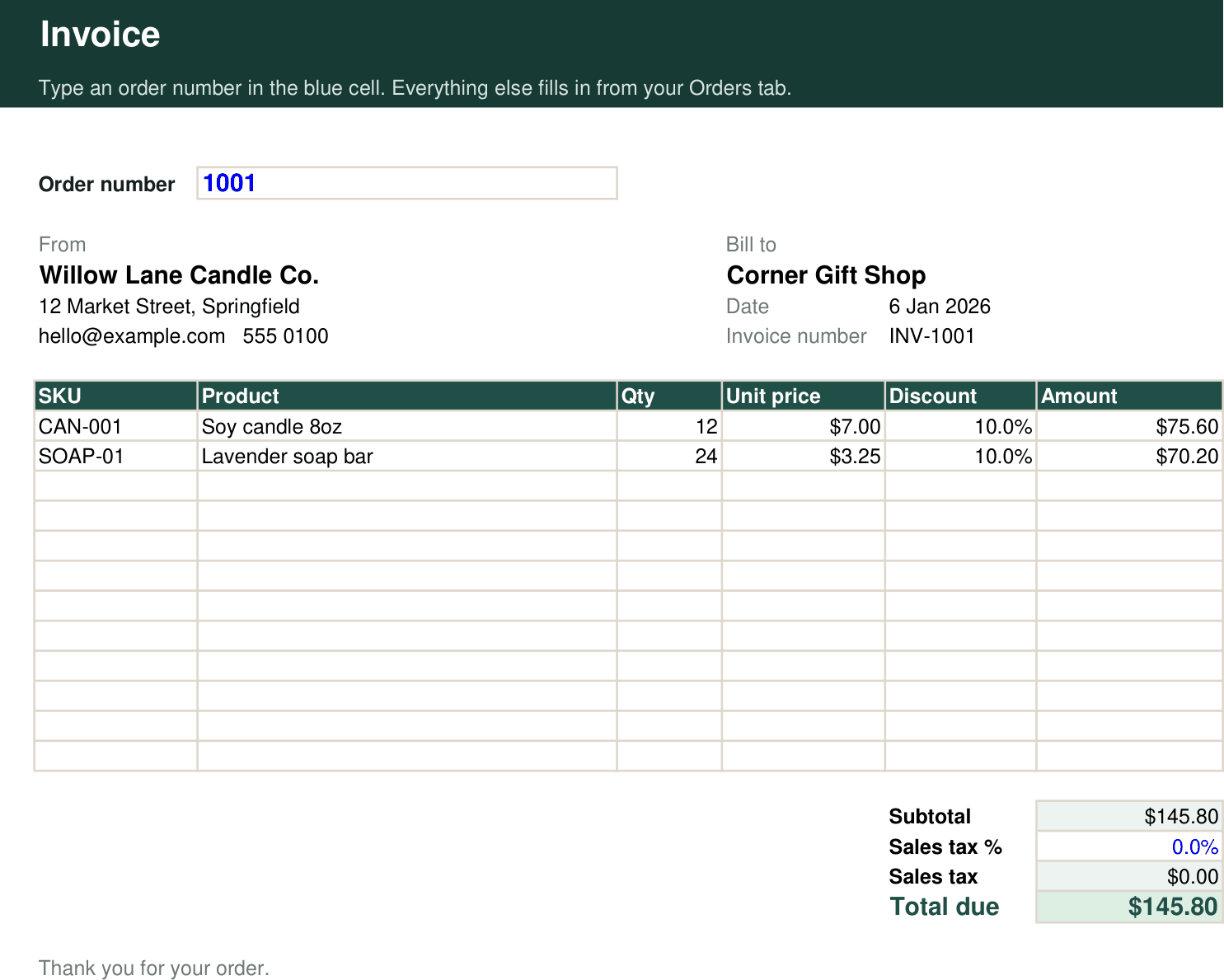
Type an order number into one cell. The invoice fills in the customer, the date, every product on the order, quantities, prices, discounts and the total. Add a sales tax rate if you charge one. Then print it or save it as a PDF. Each invoice holds up to 12 product lines.
What is a line sheet, and do I need one?
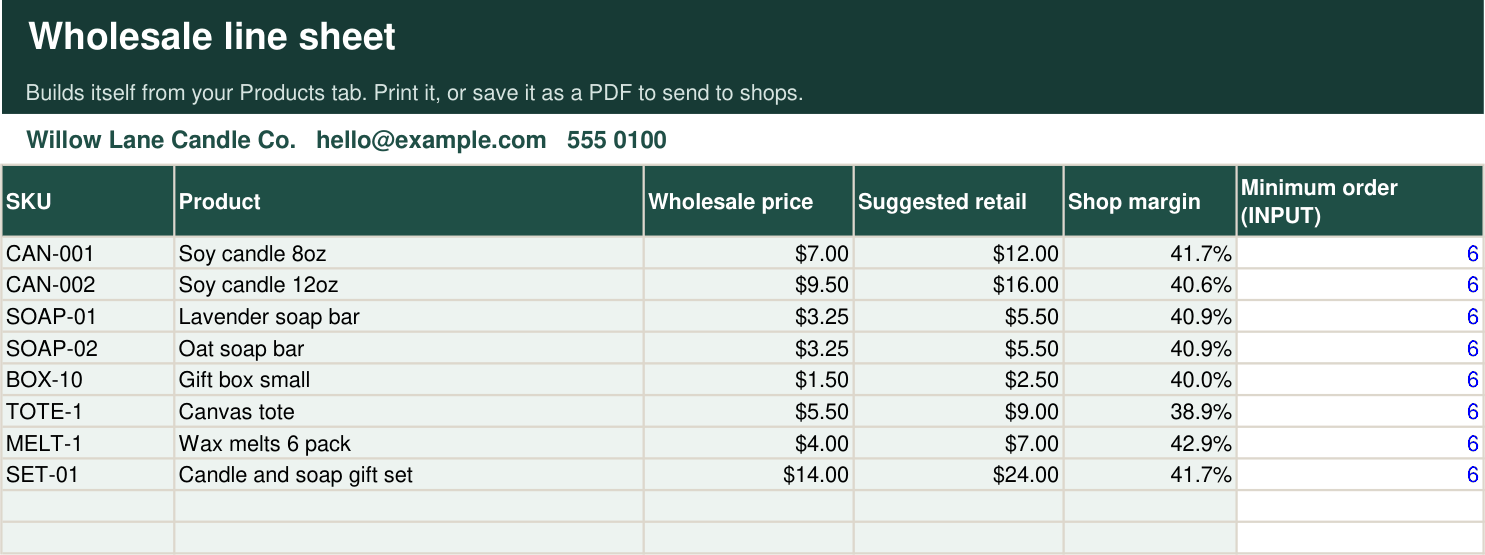
A line sheet is the price list you send to shops that might stock your products. It shows each item, the wholesale price, the suggested retail price and the shop's margin. If you sell wholesale, or want to, shops will ask for one. The kit builds yours from your Products tab and keeps it up to date.
What is the difference between the Kit and Pro?
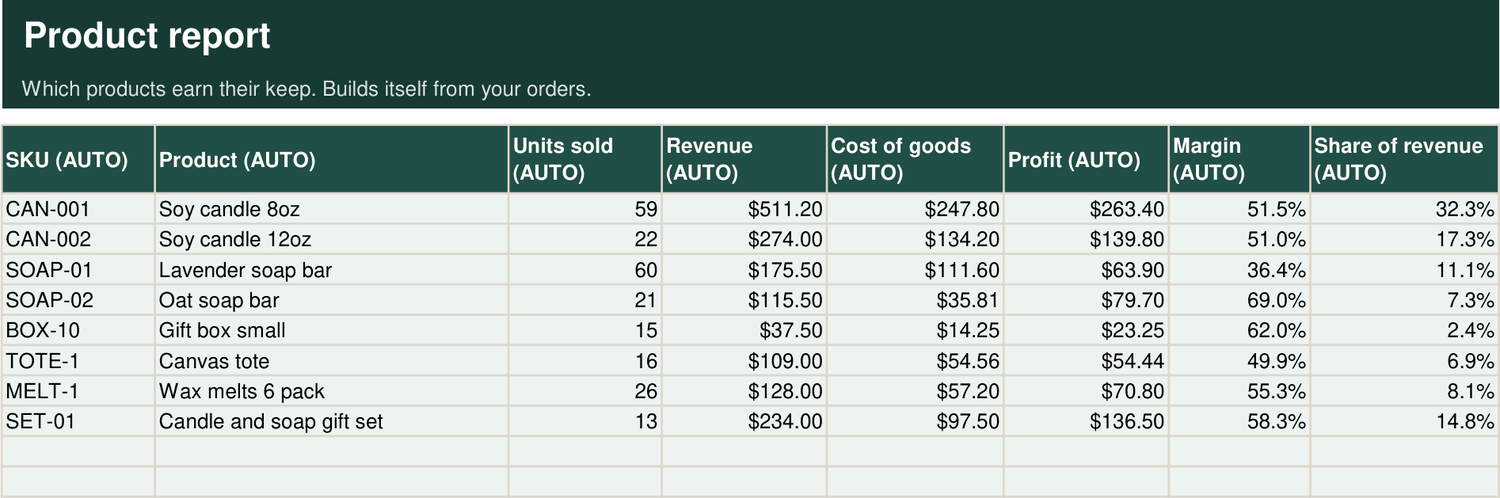
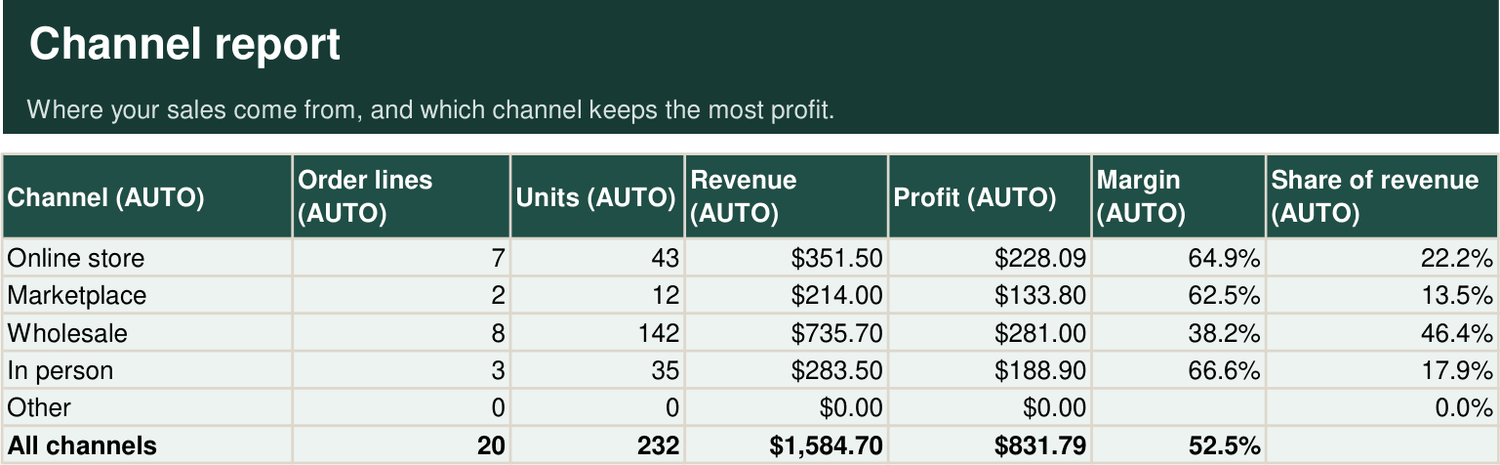
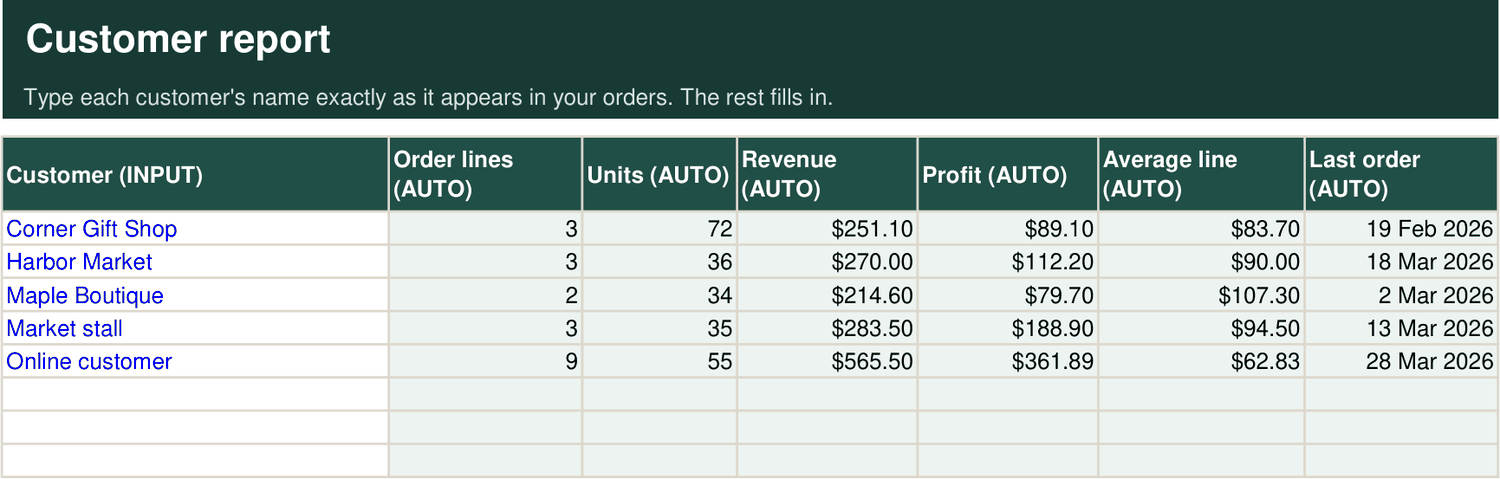
Both do the same core job. Pro gives you four times the room, 200 products and 1,000 order lines, and adds three reports that answer bigger questions: which products earn the most, which sales channel keeps the most profit, and which customers are worth the most to you.
Choose the Kit if you have a small range and mostly sell direct. Choose Pro if you sell wholesale, use more than one channel, or expect to outgrow 200 order lines in a year.
Can I start with the Kit and move to Pro later?
Yes. Email us and we will send you a link to upgrade for the $20 difference.
Is this a subscription?
No. You pay once and the file is yours to keep. There is nothing to renew and no account to log in to.
How do I get it, and what if I lose the file?
Straight after you pay you land on your download page. Save that page's address and you can download the file again whenever you need it, for example on a new computer.
Is my business data private?
Yes. The workbook runs entirely on your own computer. It does not connect to the internet, your shop, or your bank, and nothing you type is sent to us or anyone else.
Can I change it to suit my business?
Yes. The formula cells are locked to protect them, but there is no password. You can unlock any tab, add rows and columns, and change the sample channels to your own.
Can I use it for more than one business?
Yes. Use it for every business you own. Save a separate copy of the file for each one. Please do not resell or share the file itself.
Will it help at tax time?
It gives you clean monthly figures for revenue, cost of goods and expenses, which is what an accountant asks for. It is a management tool, so your accountant still prepares and files your return.
What if I need help?
Email jacob.squareone@gmail.com. We reply within one business day.